Zero Width Characters: Detection, Risks & Safety
Table of Contents
- What Is a Zero Width Character?
- Common Zero Width Character Types: Zero-Width Space, ZWJ, and ZWNJ
- Why Invisible Unicode Characters Cause Copy-and-Paste Failures
- Legitimate Uses Versus Unsafe Contexts
- Unicode Security Risks: Spoofing, Obfuscation, and Phishing
- Zero Width Character Detection Methods
- Unicode Normalization Helps, but It Does Not Sanitize Invisible Characters
- A Safe-Handling Checklist for Business Systems
- Final Thoughts
- What Is a Zero Width Character?
- Common Zero Width Character Types: Zero-Width Space, ZWJ, and ZWNJ
- Why Invisible Unicode Characters Cause Copy-and-Paste Failures
- Legitimate Uses Versus Unsafe Contexts
- Unicode Security Risks: Spoofing, Obfuscation, and Phishing
- Zero Width Character Detection Methods
- Unicode Normalization Helps, but It Does Not Sanitize Invisible Characters
- A Safe-Handling Checklist for Business Systems
- Final Thoughts
What Is a Zero Width Character?
A zero width character is a Unicode code point that takes up no visible horizontal space. It can sit invisibly between two letters. That makes it useful for writing systems and emoji, but troublesome in usernames, customer records, source code, URLs, and security logs.
Imagine two account names that both appear as AcmeSupport. One is ordinary; the other contains an invisible zero width character between “Acme” and “Support.” Although visually identical, software may treat them as different strings, causing failed searches or duplicate checks. A phishing message may use the hidden difference to imitate a trusted name.
TL;DR: This guide explains zero width characters, their legitimate uses, copy-and-paste problems, attacker misuse, detection, and safe handling in business systems.
- For business teams: understand why apparently identical records do not match
- For developers: inspect code points before comparing or storing identifiers
- For security teams: detect obfuscation without breaking legitimate languages
- For compliance teams: preserve evidence while controlling unsafe input
Source page reviewed in Chrome during article research. Follow the image link for the current page.
Common Zero Width Character Types: Zero-Width Space, ZWJ, and ZWNJ
Unicode 17.0 contains 159,801 characters, according to the Unicode Consortium’s character count. Only a small subset are called zero-width characters, and they perform different jobs.
| Character | Code point | Intended use | Common problem |
|---|---|---|---|
| Zero Width Space | U+200B | Optional word-break opportunity | Hidden differences in copied text |
| Zero Width Non-Joiner | U+200C | Prevents adjacent letters from joining | Identifier spoofing if used outside valid language contexts |
| Zero Width Joiner | U+200D | Requests joined forms and builds emoji sequences | Unexpected length, search, or validation results |
| Word Joiner | U+2060 | Prevents a line break | Invisible changes to text comparison |
| Byte Order Mark | U+FEFF | Signals byte order at the start of some text | Appears inside files as an unwanted invisible character |
| Soft Hyphen | U+00AD | Suggests where a word may be hyphenated | Copy, indexing, and filtering inconsistencies |
The search terms “invisible zero width character” and “invisible character 0 width” are not precise technical categories. Some format controls affect joining. Others influence line breaking, direction, or presentation. A character may also be invisible in one font and have an observable effect in another renderer.
A familiar legitimate example is a Zero Width Joiner (ZWJ), U+200D, connecting several person emoji into one family symbol. Remove the joiners and the same code points may appear as separate emoji. In Persian and other writing systems, the Zero Width Non-Joiner (ZWNJ), U+200C, can prevent an unwanted joined letter form. Deleting it blindly can change correct text.
A zero width character warrants inspection but does not prove abuse.
Why Invisible Unicode Characters Cause Copy-and-Paste Failures
Most business software compares stored Unicode code points, not the picture rendered on screen. A zero width character can survive copying from a website, PDF, chat, AI response, or formatted document, leaving an invisible extra code point.
Consider a customer who copies an invoice number into a helpdesk form. The visible value is INV-1048, but the pasted text is actually INV- + U+200B + 1048. Exact database lookup fails. The agent sees the expected number and blames the invoice system.
Common symptoms include:
- Search results that omit an apparently exact match
- Duplicate contacts whose names look identical
- Password or API-token failures after copying
- Spreadsheet lookups returning
#N/A - Filters, blocklists, and routing rules missing a value
- Character counts that exceed the visible length
These failures are easily misdiagnosed because trimming whitespace rarely helps. U+200B is not an ordinary space, and many standard trim() functions do not remove it. A zero width character may also survive HTML rendering and multiple application boundaries.
Compare length and code points. In JavaScript, Array.from(text) iterates Unicode code points more safely than examining UTF-16 units one by one. In Python, [f"U+{ord(c):04X}" for c in text] exposes every character.
For example, AB may look like AB, while inspection returns U+0041 U+200B U+0042. Zero width character detection turns the visual puzzle into ordinary data debugging.
Legitimate Uses Versus Unsafe Contexts
A sensible policy asks whether each field needs a particular zero-width code point. Free-form multilingual text has different requirements from an API key or login name.
| Context | Recommended approach | Reason |
|---|---|---|
| Customer messages | Preserve, scan, and display safely | Join controls may be linguistically necessary |
| Legal documents | Preserve original bytes and record warnings | Silent changes can damage evidentiary integrity |
| Usernames | Restrict through a documented identifier profile | Visually identical accounts create impersonation risk |
| Email display names | Flag hidden controls and confusables | Users rely heavily on the visible sender name |
| Passwords and tokens | Avoid silent modification | Normalization or deletion could change a secret |
| Source code | Warn or reject unexpected format controls | Reviewers may not see altered logic |
| Search indexes | Store original text but index a comparison form | Users expect visually equivalent searches to match |
The Unicode Identifier and Syntax specification says default-ignorable characters are normally excluded from general-purpose identifiers. It excepts U+200C and U+200D, which some languages and emoji contexts require. Where they are allowed, their positions should be limited by a language-aware profile.
Small businesses should handle prose, addresses, notes, and support conversations permissively, but use narrow allowlists for account names, tenant slugs, coupon codes, filenames, and machine identifiers. Do not apply one global deletion rule to every database column.
Treat a hidden character in a customer message as normal until other signals suggest abuse, but scrutinize one inside a privileged administrator name.
Unicode Security Risks: Spoofing, Obfuscation, and Phishing
Attackers exploit the gap between what people see and the code points software processes.
Four realistic cases show how:
-
Account impersonation: An attacker registers
payroll-admin, inserting U+200B into a trusted name. If the application permits both forms, staff may choose the attacker’s account from a list. -
Email and phishing filters: A blocked term such as
passwordbecomespassword. Exact-substring filters may miss it, although recipients see the expected word. -
Malware and data-loss rules: An attacker inserts invisible format characters into a command, domain, or sensitive identifier. Logging and alerting systems may store a value that looks normal but does not match a detection rule.
-
Source-code review: Invisible controls can make displayed code differ from its logical interpretation. The 2021 Trojan Source research demonstrated this broader Unicode problem across major programming-language toolchains using bidirectional controls. Although not all are zero-width spaces, they share a defensive lesson: render hidden formatting during review.
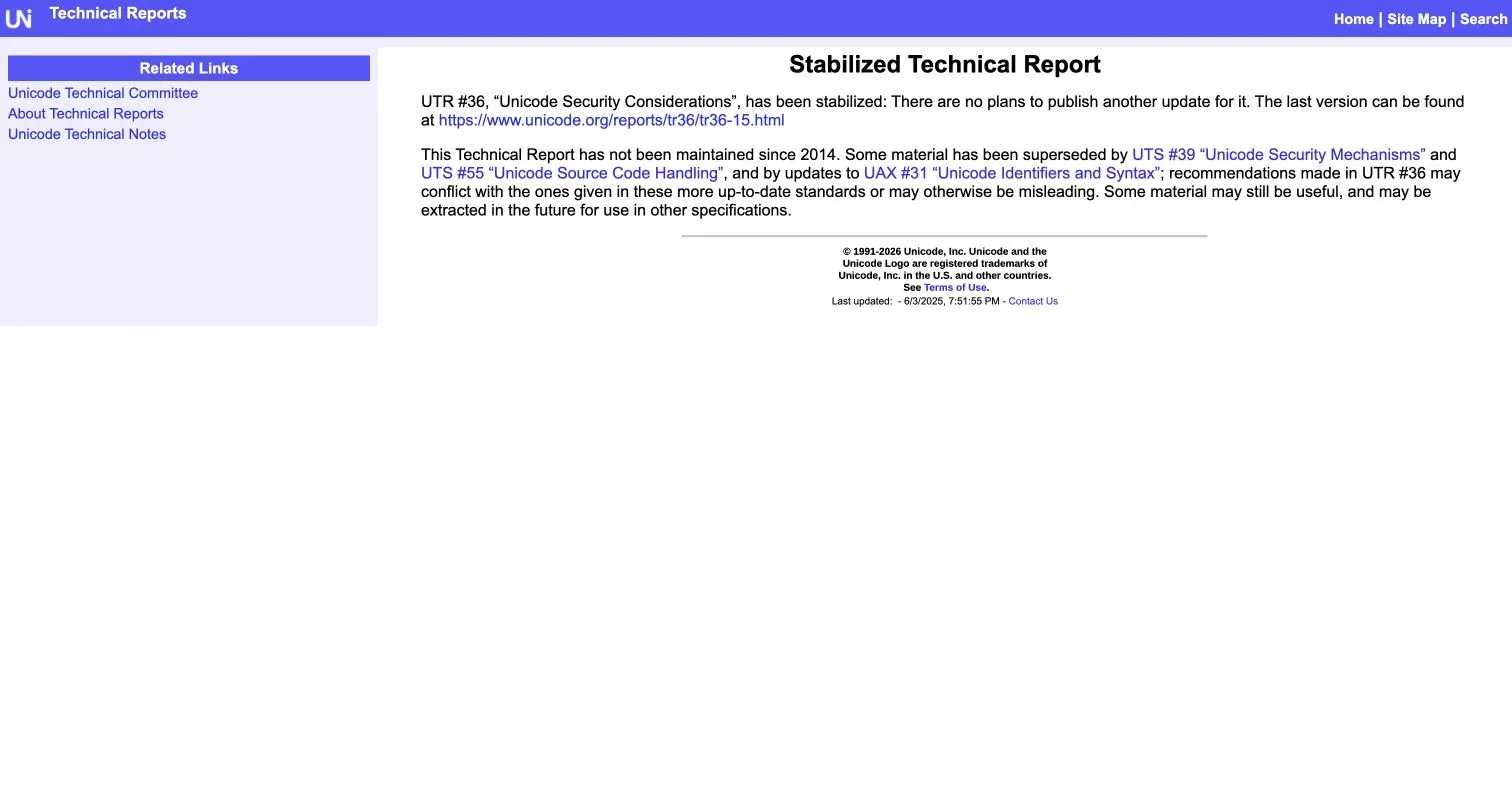
The Unicode Consortium’s UTR #36, Unicode Security Considerations, discusses spoofing and visual ambiguity. Its landing page now warns that the report has not been maintained since 2014 and points readers to newer standards, including UTS #39 and UTS #55. Use UTR #36 for background and current Unicode specifications for implementation.

The current UTR #36 page identifies the report as stabilized and directs implementers to newer Unicode security standards.
Invisible text watermarks are fragile: editing, normalization, translation, or copying can remove them, so they should never solely prove authorship or leakage.
Zero Width Character Detection Methods
Effective zero width character detection examines more than a fixed list of invisible Unicode code points. A regex can detect known zero-width spaces, ZWJs, or ZWNJs, but production systems should also inspect Unicode properties, identifier rules, and context.
A basic JavaScript check might look like this:
const hiddenFormatChars = /[\u00AD\u200B-\u200D\u2060\uFEFF]/gu;

function inspectHiddenChars(input) {
  return Array.from(input).flatMap((char, index) =>
    hiddenFormatChars.test(char)
      ? [{ index, codePoint: `U+${char.codePointAt(0).toString(16).toUpperCase()}` }]
      : []
  );
}
When reusing a global regular expression, avoid a stateful test() loop or reset lastIndex. Property-aware Unicode libraries are safer for identifying all default-ignorable or format characters.
A practical detection workflow is:
- Preserve the original value and record where it came from.
- Enumerate code points, names, positions, and surrounding characters.
- Test whether each character is permitted in that field’s identifier profile.
- Create a separate normalized comparison value where appropriate.
- Check for mixed scripts and visually confusable characters.
- Warn, reject, quarantine, or allow the value according to documented policy.
For manual detection, inspect suspect text in a Unicode-aware editor or hexadecimal viewer. A mismatch between string.length and visible characters is a clue, not proof. Emoji, combining marks, and UTF-16 surrogate pairs also make length differ from what a person perceives.
The current Unicode Security Mechanisms standard adds identifier profiles, mixed-script checks, restriction levels, and confusable detection. Those controls catch risks that a zero-width-only regex will miss.
Unicode Normalization Helps, but It Does Not Sanitize Invisible Characters
Unicode normalization standardizes equivalent character sequences. The Unicode Normalization Forms specification defines four forms: NFC, NFD, NFKC, and NFKD. NFC is a common choice for stored natural-language text because it preserves canonical meaning while reducing representation differences.
Normalization does not erase every zero width character; for example, JavaScript’s text.normalize("NFC") will not reliably remove U+200B. Each field still needs a policy.
| Operation | What it solves | What it does not solve |
|---|---|---|
| NFC normalization | Canonically equivalent sequences | Hidden format controls and confusables |
| NFKC normalization | Some compatibility differences | Every spoofing technique; safe round trips for all prose |
| Removing a fixed character list | Known unwanted controls | Unknown controls or legitimate language needs |
| Unicode property filtering | Broad classes of suspicious characters | Context and visual confusables by itself |
| UTS #39 identifier profile | Identifier restriction and spoof checks | Preservation requirements for free-form documents |
Safe handling usually means keeping at least two representations:
- Original value: retained for display, audit, legal evidence, and troubleshooting
- Comparison value: normalized and processed according to the field’s policy
For usernames, apply an identifier profile, normalization, case folding, and uniqueness checks, rejecting names that collide with existing comparison values. For customer-support messages, preserve the original text and add a risk flag.
Never normalize passwords, cryptographic keys, signed content, or externally assigned identifiers unless the governing protocol explicitly requires it. Changing even one invisible character changes the byte sequence and may invalidate authentication or signatures.
A Safe-Handling Checklist for Business Systems
Make zero width character detection part of ordinary input governance. Start with fields that affect identity, authorization, payments, routing, and audit evidence.
| Item | What to Check | Why It Matters |
|---|---|---|
| Field inventory | Which fields accept Unicode and which require ASCII | Different data needs different rules |
| Identifier policy | Allowed scripts, controls, length, and normalization form | Prevents inconsistent validation across services |
| Duplicate checks | Whether comparison forms must be unique | Stops visually identical accounts |
| Logging | Original value plus escaped code-point representation | Makes invisible input observable during incidents |
| User interface | Warning or visible marker for suspicious controls | Helps reviewers see what software sees |
| API validation | Same rules in browsers, servers, imports, and integration layers | Client-only checks are easy to bypass |
| Testing | ZWSP, ZWNJ, ZWJ, BOM, soft hyphen, mixed scripts, and emoji | Reduces accidental breakage of valid input |
| Retention | Original bytes preserved where evidence matters | Supports audits and forensic review |
Roll out detection in three stages: measure legitimate use in report-only mode, distinguish expected language use from paste artifacts and hostile identifiers, then enforce high-risk field rules with clear correction messages.
Track new identifiers with default-ignorable code points, blocked comparison collisions, and false positives by language. A target such as under 1% false positives is more useful than claiming perfect detection.
Review the policy when Unicode libraries or frameworks change. Pinning a Unicode data version across services can prevent one component from accepting an identifier that another component rejects.
Final Thoughts
An invisible zero width character can disrupt searches, create duplicates, bypass weak filters, and support impersonation. Do not delete every invisible zero width character; some enable correct language and emoji rendering.
Use context-specific controls, preserve original text where fidelity matters, and detect zero width characters at system boundaries. Inspect code points, use current Unicode identifier and Unicode security profiles, and maintain a separate normalized comparison form for high-risk identifiers. Make suspicious formatting visible in logs and review tools.
Most importantly, do not mistake visual equality for data equality. When two values look the same but behave differently, inspect the Unicode beneath them. Observable hidden characters are easier to manage safely.
Frequently asked questions
How can I tell whether copied text contains a zero width character?
Inspect the text with a Unicode-aware editor, hexadecimal viewer, or code that lists each character’s code point. Differences between visible and reported length can be a useful clue, but emoji and combining marks can also cause them.
Why does trimming whitespace not remove zero width characters?
Many zero width characters are Unicode formatting controls rather than ordinary whitespace. Standard trim() functions therefore may leave them in place, so detection and handling must follow an explicit field-specific policy.
Should an application automatically remove all zero width characters?
No. Joiners and non-joiners are necessary for some languages and emoji sequences, so blanket removal can damage valid text. Restrict unexpected controls in identifiers while preserving and flagging them in free-form multilingual content.
How should usernames containing invisible characters be handled?
Apply a documented Unicode identifier profile, normalization, case folding, and confusable-character checks. Enforce uniqueness using a separate comparison value so visually equivalent usernames cannot create impersonation or duplicate-account risks.
Does Unicode normalization make text safe from invisible-character attacks?
No. Normalization reduces certain equivalent or compatibility representations, but it does not reliably remove all hidden controls or detect visual confusables. It should be combined with context-aware validation and current Unicode security profiles.
Can passwords, API tokens, or signed content be cleaned automatically?
Generally not, unless the relevant protocol explicitly defines that change. Removing or normalizing even one invisible character changes the underlying value and can break authentication, signatures, or external identifiers.
What is the safest way to introduce zero width character controls?
Begin in report-only mode to measure legitimate language use, paste artifacts, and false positives. Then enforce stricter rules for high-risk fields such as usernames, payment identifiers, and routing keys while preserving original values for troubleshooting and audits.