Using ChatGPT to Build or Update Your Knowledge Base Content
Many support teams look for ways to streamline help doc creation. ChatGPT and similar AI tools offer quick drafting for knowledge base content. There's a process, though. Proper setup can save time.
Some teams try feeding entire knowledge bases or product info into ChatGPT. The AI can produce first drafts of FAQ articles or template responses. You still need human review, especially for regulated industries. But with the right approach, you can speed up content creation.
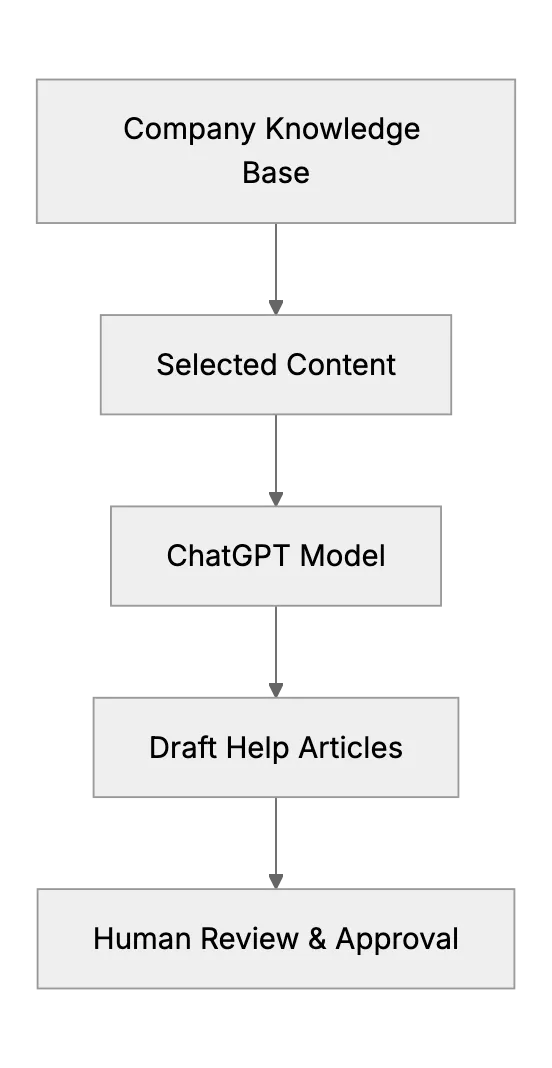
That flow diagram shows a typical approach. Instead of exposing your entire internal database, you pick relevant docs or product details. The AI then drafts new content. Next, you refine that content with domain expertise.
Another key practice is verifying final AI-generated text. Some AI models might produce factual errors or confusing statements. Human review is needed. For non-sensitive topics (like basic FAQ), ChatGPT can handle a lot of the burden. But if something touches regulated data, you'd have to be extra cautious or consider hosting your own secure model.
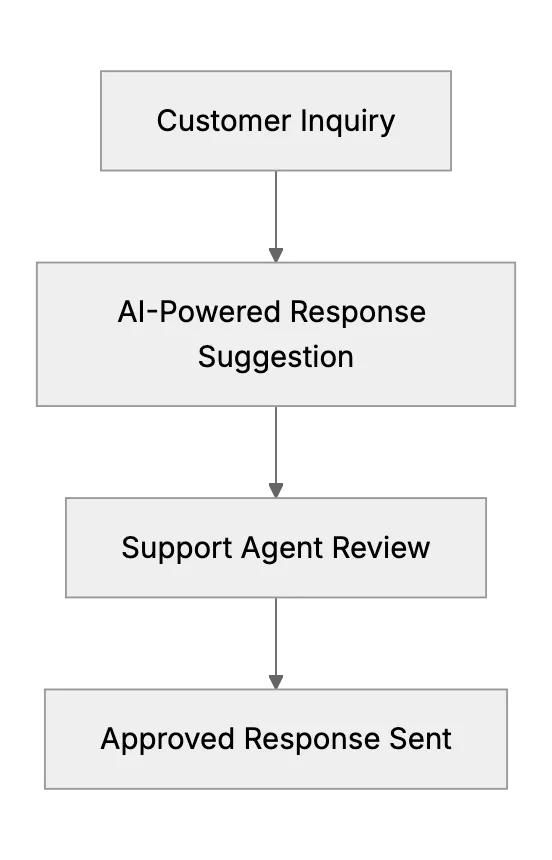
That second diagram outlines how ChatGPT can work in tandem with a support desk. The AI drafts a response by referencing your knowledge base.
When setting up ChatGPT to handle large knowledge base content, chunk your data. Then feed relevant pieces in prompts, or use specialized embedding methods to provide context. That way, the AI can reference the right snippet. By structuring your docs carefully, you reduce the chance of random or off-topic responses.
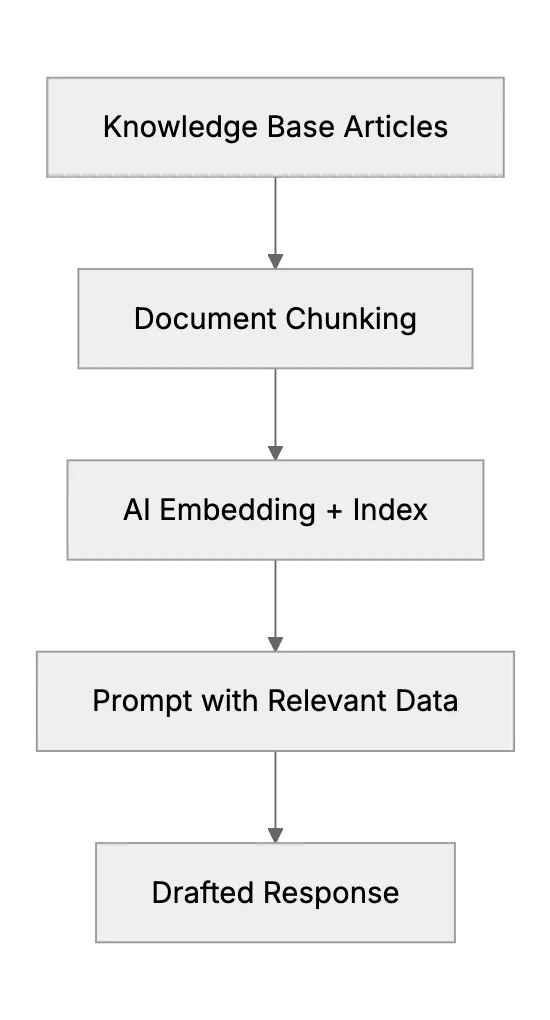
In that third diagram, you see chunking and indexing flow. This approach keeps chat prompts concise while still letting ChatGPT pull accurate info. You can update the index when your product changes. Then the AI remains up to date. If new features roll out, refresh your knowledge base. ChatGPT can generate fresh help docs quickly.
Consider implementing an internal review workflow. In some regulated environments, you might store these AI draft versions in an internal log for audit trails.
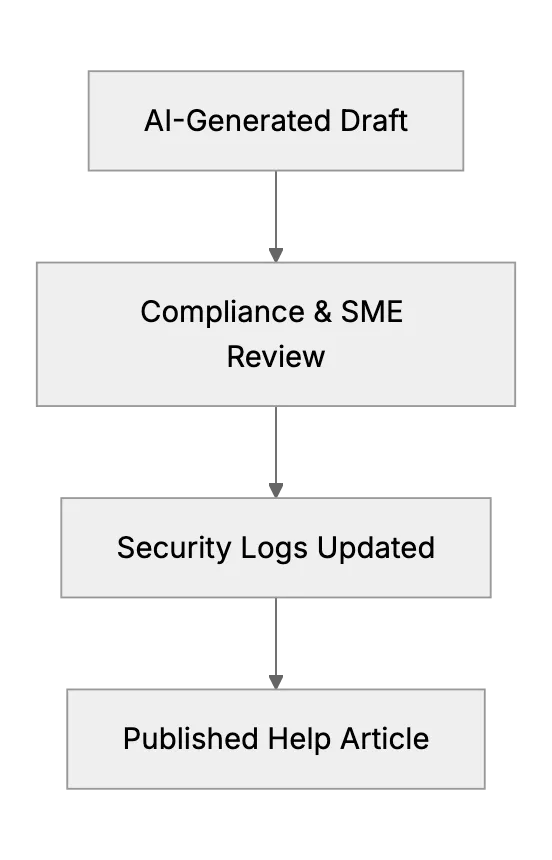
Each step is tracked, ensuring traceability. For small support teams, this might sound complicated, but you can implement lightweight processes. The payoff comes in time saved drafting or updating content. Overall, ChatGPT is a powerful ally in building or updating your knowledge base.
Related Articles
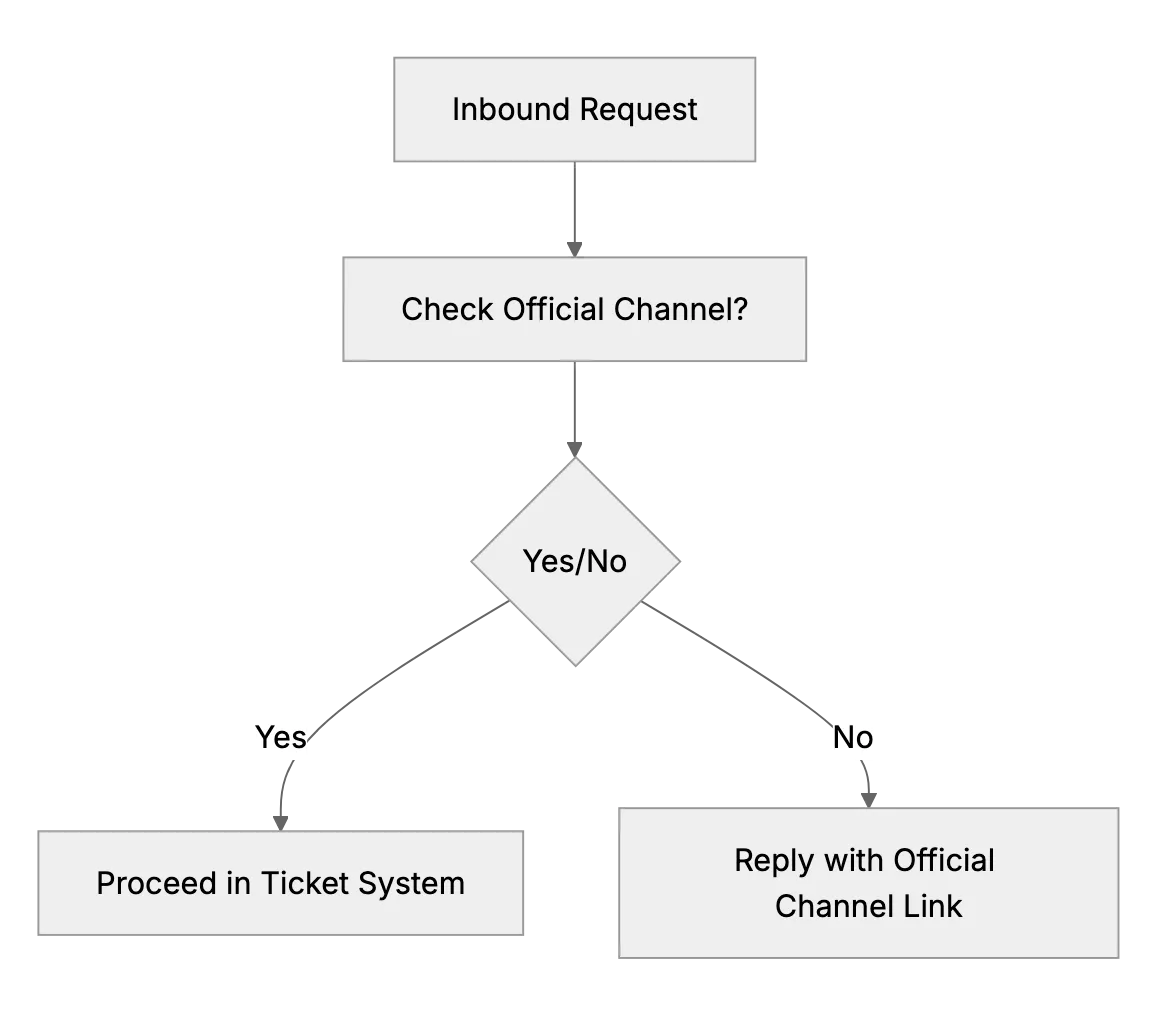
What to Do if Customers Contact You Outside Official Channels
When customers DM or text your personal accounts, reply kindly and point them to your official email or support desk so every request is tracked.
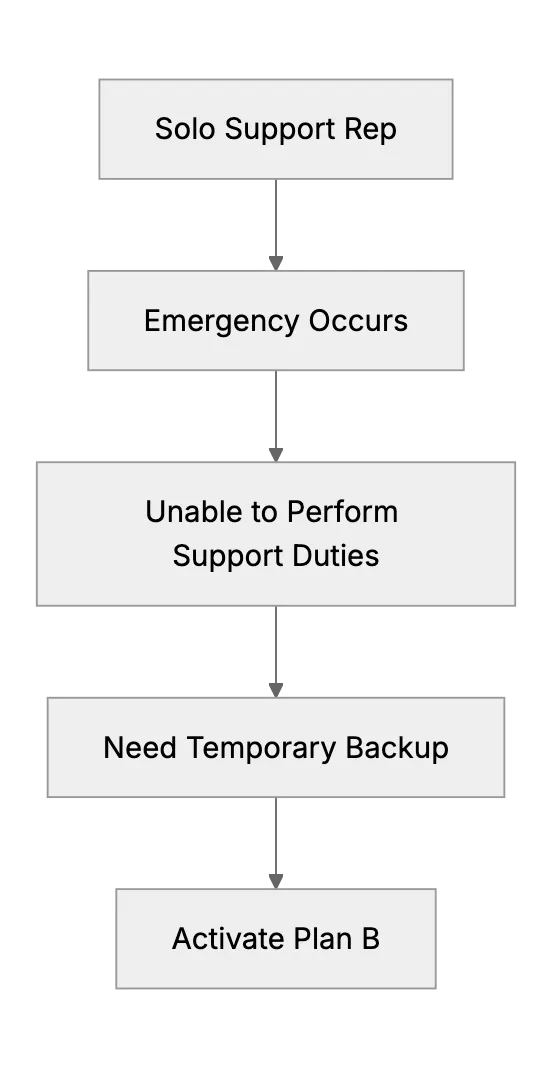
What Happens When the Only Support Person Is Sick? (Emergency Backup Plans)
Preparing a backup plan for a one-person support team during unexpected illness or personal emergency.
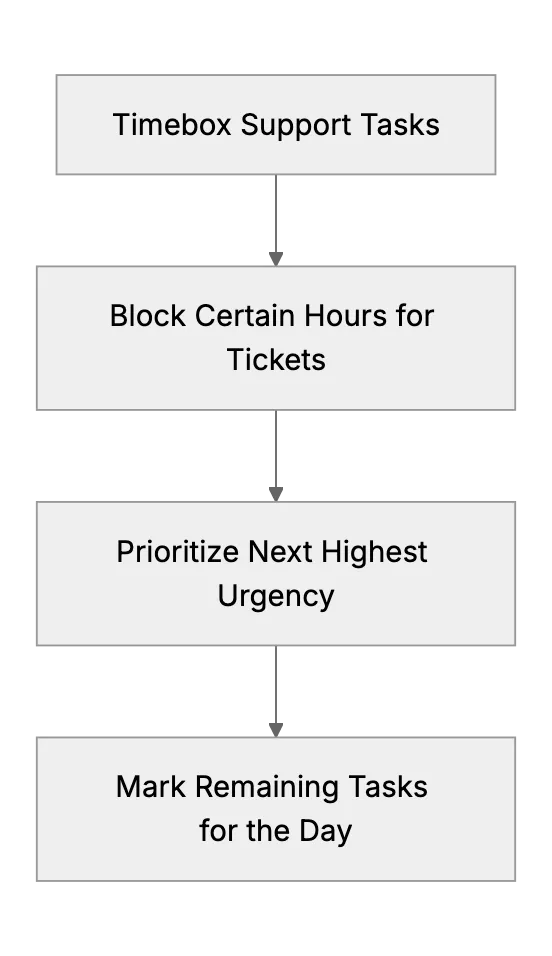
When Your Support Rep Wears Multiple Hats (Support + Other Duties)
When your support person also ships orders or manages stock, set support time blocks, ticket priorities, a public FAQ and a trained backup.